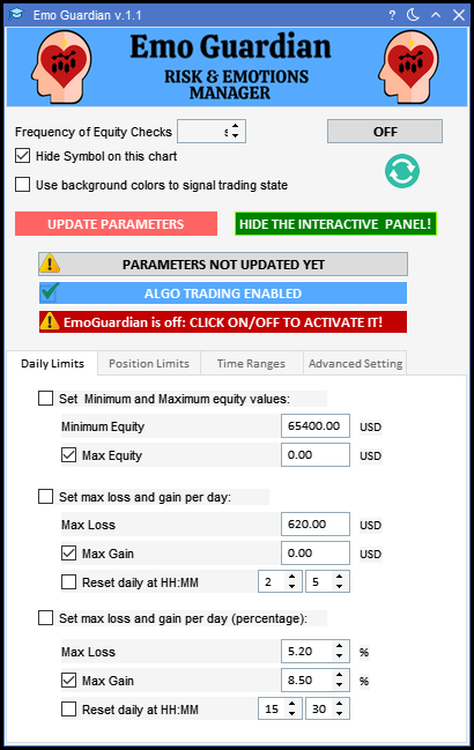
Whenever you see the word loss, in any of the EA fields, the sign of the number is not relevant.
The EA will always interpret the number as a negative number.For example, in the field Maximum loss per day, you can insert either -200 USD or +200 USD and they will all be interpreted as a maximum allowed loss of 200 USD.
The EA will always interpret the number as a negative number.For example, in the field Maximum loss per day, you can insert either -200 USD or +200 USD and they will all be interpreted as a maximum allowed loss of 200 USD.
- Flatten all open positions.
- Close all pending orders.
- Close every chart except the chart on which the EmoGuardian is attached.
- Close all working EAs.
- Inmediate flatten any trade until the reset time of 00:00:00 (platform time or the specified reset daily time), or until the parameters are reset (in case of imposing a max/minimum equity).